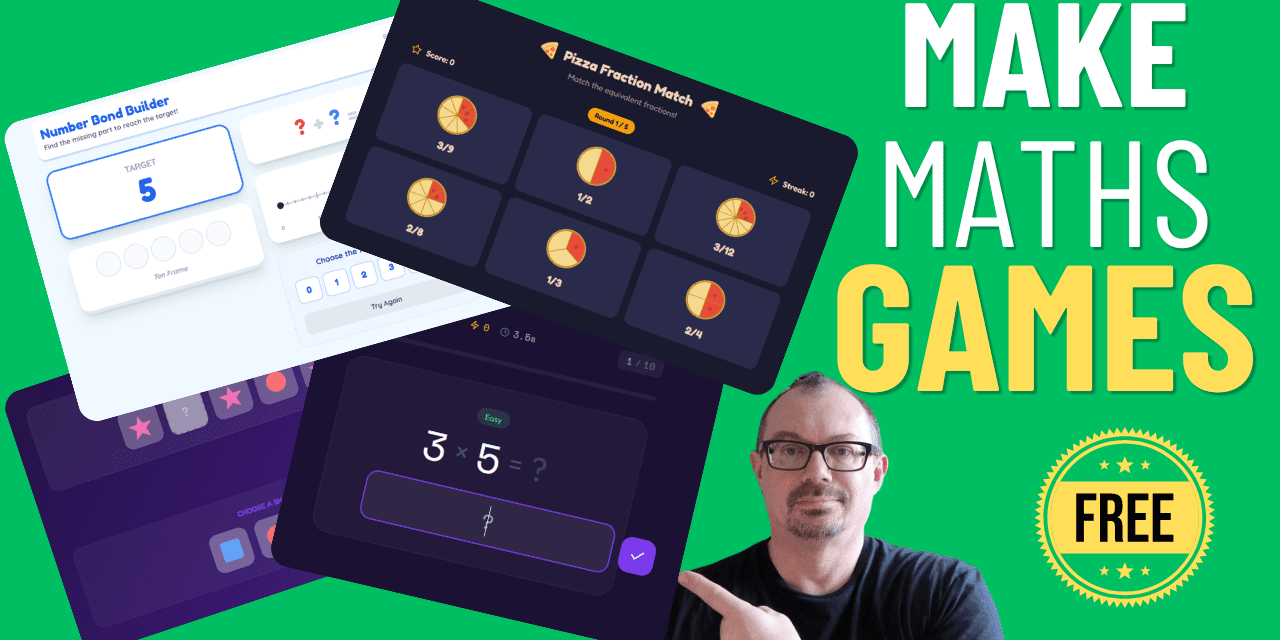
Building resources from scratch takes time we simply do not have. So when there is a way to create interactive, curriculum-linked maths games in minutes, using tools you probably already have access to, it is worth knowing about.
This tutorial covers how to use Google Gemini and Canva Code to generate interactive maths games from a simple text prompt. No coding, no subscriptions, no steep learning curve. Just a prompt, a few clicks, and a shareable link ready to go.
Watch this video to learn more:
What You Will Need
You have two routes here, and both are free:
- Google Gemini (gemini.google.com), with Canvas and Thinking mode enabled
- Canva Code (canva.com), using the Canva AI Code feature
Both work on the same principle: you type a description of the game you want, the AI writes the code, and you get a working, playable game. The whole process takes a few minutes.
Using Google Gemini to Build a Maths Game
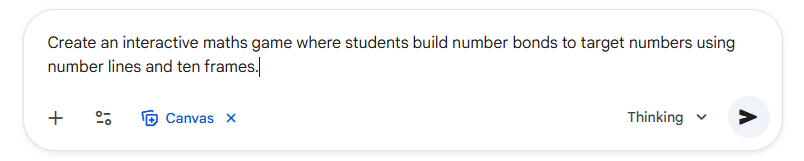
Head to gemini.google.com and open the prompt box. Before you type anything, make sure two settings are active: Click on Tools and choose Canvas (Gemini’s coding platform) and Thinking mode. Enabling Thinking mode improves the quality of the output considerably.
Then type your prompt. Here is the one used for a number bonds game:
| “Create an interactive maths game where students build number bonds to target numbers using number lines and 10 frames.” |
Hit submit. Gemini opens Google Canvas, generates the code, and builds the game. When you are happy with it, click Share to get a link you can post to your whiteboard, send to pupils, or share with colleagues.
Using Canva to Build a Maths Game
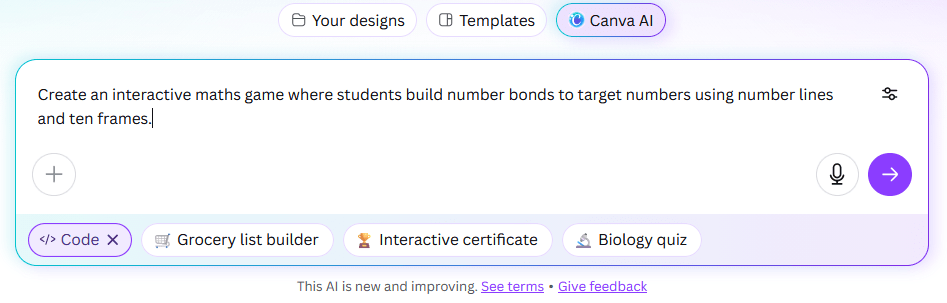
From the Canva homepage, click Canva AI, then select Code. Type your prompt into the box. Here is the one used for a fractions game:
| “Create an interactive visual fraction game where students match equivalent fractions using pizza slice representations.” |
Canva builds the game and gives you a Publish option. Add a title, publish, and copy the link. That link can go straight onto your interactive whiteboard or into a message to pupils.
Simply copy and paste these prompts into your AI tool of choice. Once entered, you can continue to refine your games by asking for edits.
Ready-to-Use Prompts
Here are four prompts you can copy and use straight away:
1. Number Bond Builder
Simple version:
Create an interactive maths game where students build number bonds to target numbers using number lines and ten frames.Advanced version:
Create an interactive maths game where students build number bonds to target numbers using number lines and ten frames.

GAME FEATURES:
- Target number selector (5, 10, or 20)
- Two interactive modes: Number Line mode and Ten Frame mode
- Students select two numbers that add up to the target
- Visual representations show the addition happening
- Multiple rounds with different target numbers
- Score tracking and encouraging feedback
- "Check" button to verify the number bond
- "Next Challenge" button for new problems

NUMBER LINE MODE:
- Horizontal number line from 0 to target number
- Students click two points on the line to create a bond
- Visual arcs show the two parts combining
- Numbers displayed clearly at clicked points
- Equation appears below: ___ + ___ = [target]

TEN FRAME MODE:
- Classic 2x5 grid for bonds to 10, larger grids for 20
- Students click to fill squares with one color, then another color for the second number
- Visual grouping shows the two parts
- Equation updates as they click
- Option to use different representations (dots, counters, colors)

EDUCATIONAL FEATURES:
- Target numbers: bonds to 5, bonds to 10, bonds to 20
- Missing number challenges: 7 + ___ = 10
- All possible combinations shown as "collector card" achievements
- Commutative property demonstration (3+7 and 7+3 are the same)
- Speed round: find all bonds to 10 as quickly as possible
- Hints available showing remaining unfound bonds

DESIGN:
- Large, touch-friendly interface
- Clear visual distinction between the two addends
- Celebration animation when correct
- Running tally of discovered bonds
- Suitable for ages 5-8
- Clean, uncluttered layout

DIFFICULTY LEVELS:
- Easy: Bonds to 5 and 10
- Medium: Bonds to 20
- Challenge: Missing number problems
2. Fraction Pizza
Simple version:
Create an interactive visual fraction game where students match equivalent fractions using pizza slice representations.Advanced version:
Create an interactive visual fraction game where students match equivalent fractions using pizza slice representations.

GAME FEATURES:
- Multiple circular "pizzas" showing different fraction divisions
- Drag and drop matching interface
- Students match equivalent fractions visually
- Pizzas show same total amount shaded but divided differently
- "Check Matches" button validates answers
- Visual overlay shows equivalent sections aligning
- Progress tracker showing matched sets
- Increasing difficulty levels

PIZZA REPRESENTATIONS:
- Each pizza is a circle divided into equal slices
- Shaded portions show the fraction
- Different pizzas show: halves, quarters, eighths, thirds, sixths, fifths, tenths

EQUIVALENT FRACTION SETS TO MATCH:
- 1/2 = 2/4 = 4/8
- 1/3 = 2/6
- 1/4 = 2/8
- 2/3 = 4/6
- 3/4 = 6/8
- 1/5 = 2/10
- 2/5 = 4/10

GAME MODES:
Mode 1 - Match Pairs: Drag pizzas together to show they're equivalent
Mode 2 - Sorting: Drag equivalent pizzas into groups
Mode 3 - Challenge: Given one fraction, build the equivalent using different denominator

EDUCATIONAL FEATURES:
- Fraction labels shown on each pizza (e.g., "3/4" and "6/8")
- Visual alignment when correct match made
- Number line appears showing all equivalent fractions at same point
- Simplification helper showing "simplest form"
- Interactive creator: divide your own pizza and see the fraction
- "Why are these equal?" explanation popup

VISUAL DESIGN:
- Realistic pizza appearance with toppings on shaded slices
- Clear division lines between slices
- Different colors for different fraction families
- Smooth drag-and-drop mechanics
- Celebration when matches confirmed
- Suitable for ages 8-11

FEEDBACK:
- Correct matches lock together with checkmark
- Incorrect matches bounce back with gentle shake
- Helpful hints: "Look at how much pizza is shaded"
- Progress bar showing sets completed
3. Shape Pattern Predictor
Simple Version:
Create an interactive pattern recognition game where students complete repeating patterns by dragging and dropping shapes.Advanced version:
Create an interactive pattern recognition game where students complete repeating patterns by dragging and dropping shapes.

GAME FEATURES:
- Pattern sequence displayed with missing shapes (shown as empty boxes)
- Bank of shape options at bottom of screen
- Drag and drop interface to fill in missing shapes
- "Check Pattern" button validates answers
- Visual feedback for correct/incorrect placements
- Multiple difficulty levels
- Pattern rules shown after completion
- Score and streak tracking

PATTERN TYPES:
Simple AB patterns: circle, square, circle, square, ___, ___
ABC patterns: triangle, circle, square, triangle, circle, ___
AABB patterns: star, star, heart, heart, ___, ___
Growing patterns: small circle, medium circle, large circle, ___
Color + shape patterns: red square, blue triangle, red square, ___
Rotation patterns: arrow up, arrow right, arrow down, ___

DIFFICULTY LEVELS:
Level 1: Simple AB patterns, 1-2 missing shapes
Level 2: ABC and AABB patterns, 2-3 missing shapes
Level 3: Complex patterns, multiple missing shapes including middle gaps
Level 4: Growing/changing patterns
Challenge: Create your own pattern for a friend

EDUCATIONAL FEATURES:
- Pattern core highlighted when correct
- "What comes next?" prediction mode
- "What's missing?" mode with gaps in middle
- Pattern rule revealed: "The pattern is: triangle, circle, square, REPEAT"
- Option to extend pattern beyond the given sequence
- Hint button highlights the repeating unit
- Pattern creator mode for open-ended exploration

SHAPE LIBRARY:
- Basic shapes: circle, square, triangle, rectangle, pentagon, hexagon, star, heart
- Multiple colors: red, blue, green, yellow, orange, purple
- Size variations: small, medium, large
- Orientation: rotated versions of arrows/triangles

DESIGN:
- Clear boxes showing where shapes should go
- Drag-from-bank or click-to-select options
- Visual snapping when shape placed correctly
- Incorrect placements return to bank
- Running score display
- Suitable for ages 5-9
- Colorful, engaging graphics

PROGRESSION:
- Start with 5-shape patterns
- Increase to 8-10 shapes as difficulty rises
- Introduce multiple missing elements
- Add complexity with attributes (color AND shape)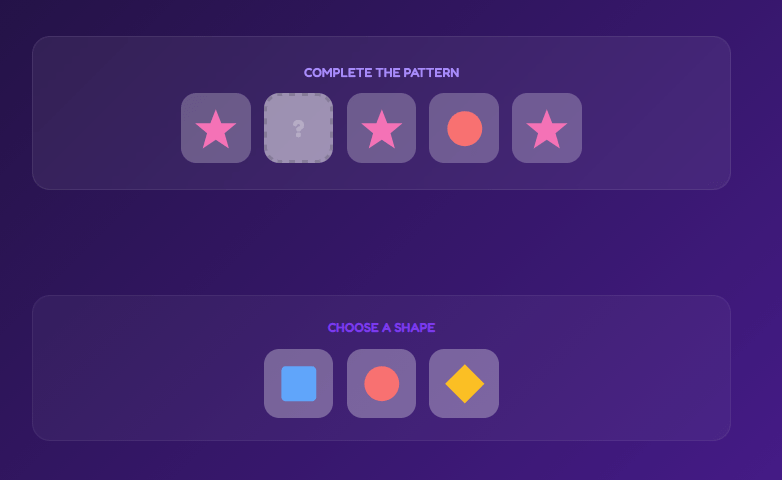
4. Times Table Speed Challenge
Simple Version:
Create a timed multiplication practice game with progress tracking, adaptive difficulty, and motivating feedback. Player chooses which tables to practice: 2x, 3x, 4x ... up to 12x.Advanced version:
Create a timed multiplication practice game with progress tracking, adaptive difficulty, and motivating feedback.

GAME FEATURES:
- Times table selector (choose which tables to practice: 2x, 3x, 4x... up to 12x)
- Timed rounds (30 seconds, 60 seconds, or 2 minutes)
- Questions appear one at a time with multiple choice or type-in answers
- Live score and timer display
- Streak counter for consecutive correct answers
- Progress bar showing questions completed
- Personal best tracking
- Star rating system based on accuracy and speed

GAME MODES:
Quick Fire: Answer as many as possible in 60 seconds
Survival: 3 lives, keep going until you lose them all
Target Practice: Specific times table focus (just 7x, just 8x, etc.)
Mixed Challenge: Random questions from all tables
Speed Climb: Questions get progressively harder

QUESTION PRESENTATION:
- Large, clear question display: "7 × 8 = ?"
- Multiple choice mode: 4 possible answers as buttons
- Type-in mode: Number pad or keyboard input
- Visual question (array of dots showing multiplication)
- Instant feedback: green checkmark or red x
- Correct answer shown if wrong

PROGRESS TRACKING:
- Session statistics: questions attempted, correct, accuracy %
- Times table mastery chart showing which tables are strongest/weakest
- Historical data: track improvement over time
- Badges/achievements: "Speed Demon" (10 in 30 secs), "Perfect Round", "Table Master"
- Personal records for each times table
- Weekly goals and streaks

EDUCATIONAL FEATURES:
- Hint system showing array representation
- "Show me how" button revealing counting/grouping strategy
- Mistake analysis: "You often struggle with 7 × 8, let's practice"
- Adaptive difficulty: focuses on weakest tables
- Commutative property reinforcement (7×8 = 8×7)
- Practice mode (untimed) vs Challenge mode (timed)

VISUAL DESIGN:
- Clean, distraction-free interface during play
- Bold numbers, easy to read quickly
- Traffic light colors: green (correct), red (incorrect), amber (time warning)
- Animated celebrations for streaks
- Progress graphs and charts on results screen
- Suitable for ages 7-11

MOTIVATION FEATURES:
- Countdown timer with visual progress
- Streak flames/lightning for consecutive correct
- Encouraging messages: "Great start!", "On fire!", "Almost there!"
- Level-up system (Bronze, Silver, Gold, Platinum)
- Comparison to previous attempts
- Optional: Gentle background music during play
- Share results feature

CUSTOMIZATION:
- Choose specific tables to include/exclude
- Adjust time limits
- Switch between multiple choice and type-in
- Enable/disable hints
- Sound effects on/off
- Choose difficulty: Beginner (up to 5×), Intermediate (up to 10×), Expert (up to 12×)

RESULTS SCREEN:
- Total correct / Total attempted
- Accuracy percentage
- Average time per question
- Tables breakdown (how many correct in each table)
- Stars earned (1-3 based on performance)
- "Try Again" and "Next Challenge" buttons
- Data saved to show improvement over time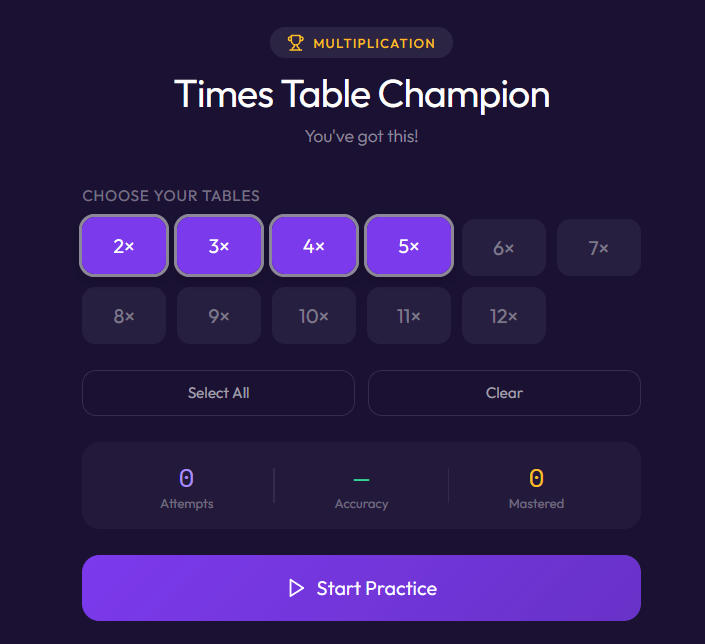
Refining Your Game
Neither tool locks you in to a first attempt. If the game needs adjusting, go back to the prompt box (on the left of the screen in both tools) and ask for changes in plain language:
- “Change the colour scheme to blue and yellow.”
- “Add a 60-second timer.”
- “Make the numbers larger.”
The AI will update the game accordingly. It is a straightforward back-and-forth until you have something you are happy with.
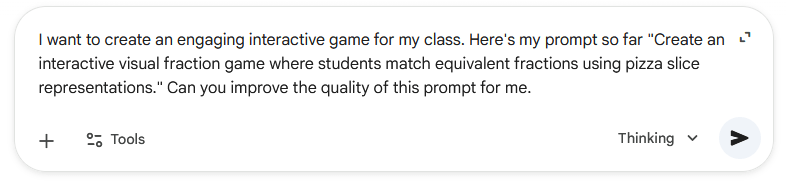
Top Tip: You can always ask the Ai to improve your prompt for you. Paste in your basic prompt with a request to “improve this”
How to Use These Games in the Classroom
- Starter or plenary activity on the interactive whiteboard, giving pupils a few minutes of focused practice before or after a lesson.
- Independent practice at their own pace, using iPads or laptops with the shared link.
- Homework tasks, since the games are accessible from home via any browser, no login required.
Classroom Application: Three Steps to Get Started
1. Pick one prompt from the list above and try it in Gemini or Canva today. The whole process should take under five minutes. Having a working game in hand makes it much easier to decide whether this is worth building on.
2. Test it on your whiteboard before using it with a class. Check the link works from the board, that touch or click input behaves as expected, and that the game is set to an appropriate difficulty level.
3. Adapt the prompt to your current unit. Once you are comfortable with the process, write a prompt that matches exactly what your class is working on. If you are covering place value this week, build a place value game. The prompts are flexible, and the AI will follow your lead.
The games are not a replacement for good teaching, but they are a genuinely useful addition to the toolkit, and they cost nothing but a few minutes of your time to create