

Biologists who wanted a human body browser in the same style as Google Earth, Google Sky, Google Moon etc got very excited a few years ago when Google brought out its Body Browser. They then got sad when Google retired it.
Well it looks like it’s back (sort of) under new management and is now called Zygote Body. But it looks exactly the same as it did when it was Google Body, which is great.

Zygote Body gives you a fully-explorable 3D body. You can move about, zoom in, like you can in Google Earth. The slider on the left hand side lets you reveal different body systems, such as the muscular, skeletal, digestive and nervous. You can turn labels on or off. You can choose between one global slider – or switch to having a slider for each system (the bottom icon does this)
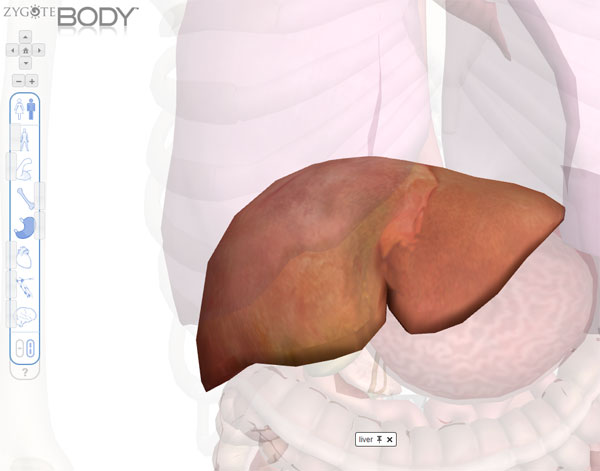
Double click on any organ to isolate it from the rest of the body. It will stay visible while the rest of the body fades out to make it clearer to see it.
This will make teaching about the human body much better on an interactive whiteboard. Would be very good for looking at where the different organs are, or how the skeleton is organised.
Combine this with the desktop annotation or image capture and annotate to label organs and systems, or to just explore different organs in detail.
Hopefully this will be around for a while and won’t vanish like the Google Body Browser did. It still uses Web GL so you won’t be able to use this on older browsers, and not yet on iPads etc.
Go take a look at : www.zygotebody.com
Update : You now have to register to access Zygote Body, but you can get the basic features for free. You can log in with a google account, or set up one with the site.


