


SMART have released an update for Smart Notebook, taking it up to version 10.8. Currently the auto-updated won’t pick up the new version, you’ll have to go to the SMART website and download it.
So what’s new in 10.8? From the release notes:
Smart Notebook
- Compress image files, typically up to one-tenth the original size, to reduce overall file size
- Click a button within the software’s interface to link to the SMART Exchange website
- Access Mixed Reality Tools to explore and manipulate mixed reality and 3D content (Microsoft Windows only)
Smart Response
- Create answer keys for self-paced assessments with the answer key wizard
- Use multiple hardware remotes, including those from the Senteo, SMART Response PE, SMART Response LE, SMART Response XE and SMART Response VE interactive response systems – in the same assessment
- Superimpose SMART Response software tools and questions over websites and other applications, with a touch of a button.
I haven’t had a chance to test out the Smart Response changes. When I do I’ll write about them here. I was rather excited about the ability for Smart Notebook to handle 3D objects having seen this at BETT in January.
Sadly it appears that this will be a “premium” feature. If you have a Smart Document Camera plugged in this will unlock the feature. Or from what I understand from the Smart website you can purchase it. On Install you can test it out for a 30 day trial. It’s a shame as I can’t see the point of using the document camera to control the object – it just looked like a crowbarred-in way of finding another use for the document camera.
If I’ve missed out a way to do this after the 90 day trial, please let me know.
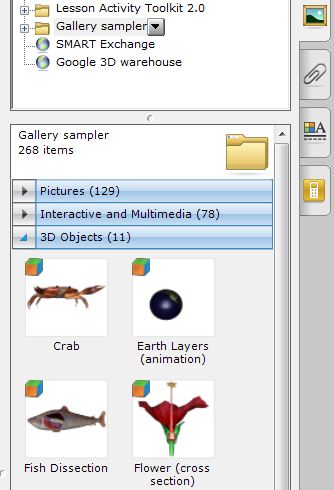
If you do take up the trial – or have a SMART document camera – then take a look in the Gallery Sampler and you will see a folder for 3D Objects which can be added to the page in the same way as any other notebook gallery item (drag and drop)
You can add any other Google Sketchup items, but you might need a little converting into .dae format. Instructions on how to do that are here. There’s also a link to the Google 3d Warehouse within the gallery.
You can download SMART Notebook 10.8 here. It appears there’s one version now that includes SMART response etc. The release notes are here.


Hello,
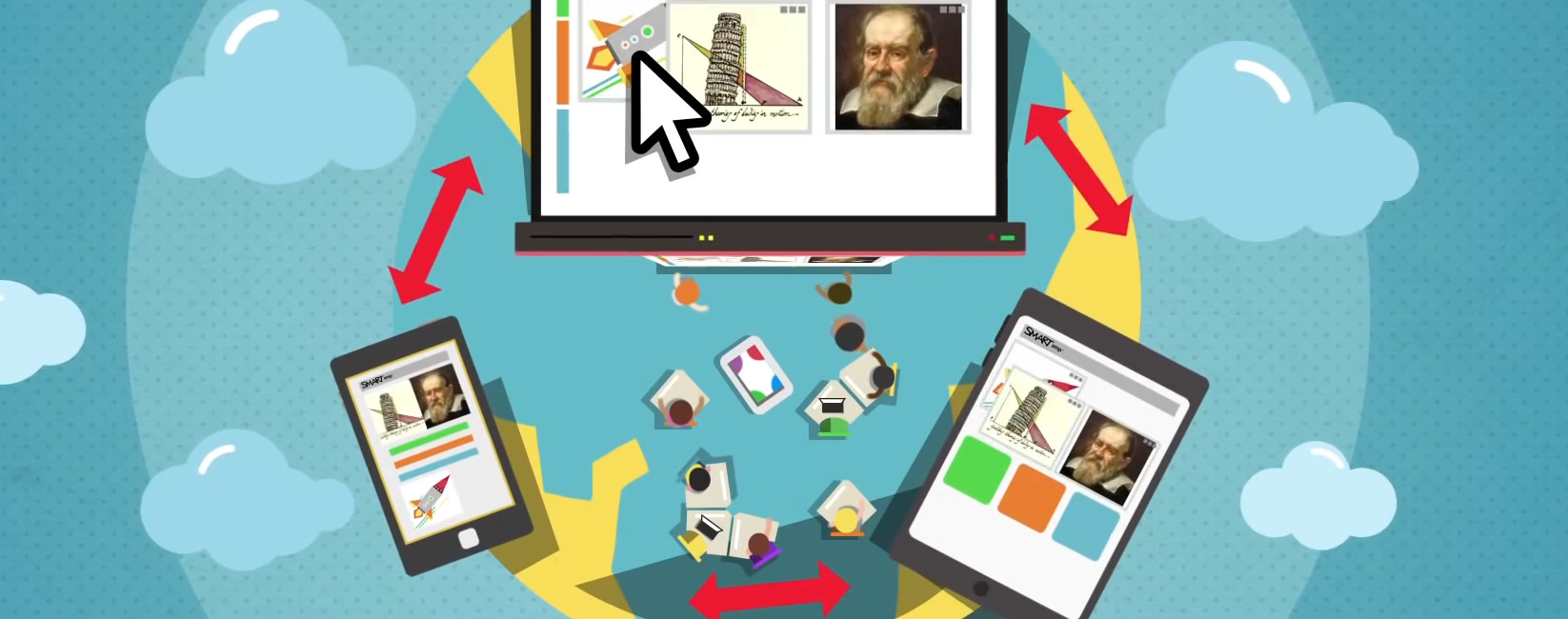
I invite everyone to watch a video entitled “Introducing mixed reality technology: Enabling 3-D interaction in the classroom” uploaded here: http://www.youtube.com/user/SMARTClassrooms#p/u/0/2M6mX-blFiI
Regards,
Ian Berg
Technical Support
SMART Technologies
Contact Support: http://www.smarttech.com/contactsupport
Web: http://www.smarttech.com
The idea of Augmented reality is awesome! I felt the same way as you did when I first heard about it’s development but when you really think about it… the potential is awe-inspiring!
Have a look at this post I wrote about a year ago… There’s a little you tube video on there of the Smart Document camera’s Augmented Reality too.
http://www.teachertechnologies.com/2010/06/augmented-reality